
Setnayan
Sign in
DiscoverDiscover

Sign in to save suppliers, plan your event, and keep your photos.

Sign in
How it worksHow it works
Planner things you plan with
MarketplaceBrowse verified Filipino suppliers free, and compare two side by side.MarketplaceGuest listEvery guest, one row — RSVP, plus-one, role, table and QR.Guest listSeat planLay out your tables and seat every guest — free.Seat planBudgetYour budget in PHP: planned, agreed, paid and owed. Free.BudgetScheduleYour wedding day, block by block, live for guests and suppliers.Schedule
Together things you do with people
Samahan groupsYour barkada, ninongs, family — chat, stories, the next reunion.Samahan groups
Studio the things you make
Setnayan AIWatches your suppliers and flags a deposit, a price change or a clash before it costs you.Setnayan AIEvent HubOne link for your save-the-date, RSVP, details and love story.Event HubPapictry itTurns your guests into your photo crew.PapicLive Studiotry itBrings the people who can’t be in the room into your day — live.Live StudioPatiktokTurns your moments into short, vertical highlight reels.Patiktok3D Plantry itStand in your reception before it’s built.3D PlanMood BoardPick your colors once — every piece dresses to match.Mood BoardPakantaAn original song from your love story — and the music behind your videos.PakantaLogo MakerOne monogram of your own, carried across your whole day.Logo Maker
AboutPricingHelpOpen your shop
TermsPrivacyAcceptable useCookies
RefundsDownloadArticlesFor storytellersFor suppliers
© 2026 Setnayan
Set na ’yan — that’s all set.

The truth, in PHP.

Start planning · freeSee what else is free
  1. 01

    Set your target

    Answer one question — what is your total wedding budget, in pesos — and change it anytime. A suggested split appears from typical Filipino wedding costs; nudge any category, or set your own amount, then save the plan.

  2. 02

    Book, then log

    Once you contract a supplier, their line items appear on their own — from their catalogue if they are on Setnayan, or added by you if they are not. Log each payment as the money moves. Costs with no supplier — the rings, the licence, tips — have a place too.

  3. 03

    See where you stand

    Target, agreed, paid and owed — for the whole wedding and category by category, with a bar that shows the shape before you read the number. Next payments are listed with their due dates, overdue ones called out, and every unpaid due date can go straight into your calendar.

A budget that counts only what you have signed for

Suppliers you are still choosing between stay in the Marketplace, where you add and subtract them to find the better option. The moment you contract one, its line items and payments appear here on their own.

  • A spreadsheet only you remember to updateAgreed, paid and owed, refreshed as each payment is logged
  • A quote you are still deciding on, counted as spentOnly what you have signed for counts
  • Guessing what catering should costA suggested split from typical Filipino wedding costs, yours to nudge
  • Remembering when each balance is dueNext payments listed, and overdue called out

Set the target, then watch it hold

Free with every Setnayan account.

A bride in a lace gown and veil, eyes lowered, beside a tall window

Your target

Say the number once

What is your total wedding budget? Type it in pesos and change it anytime — it is your stated target, not a limit anyone sets for you.
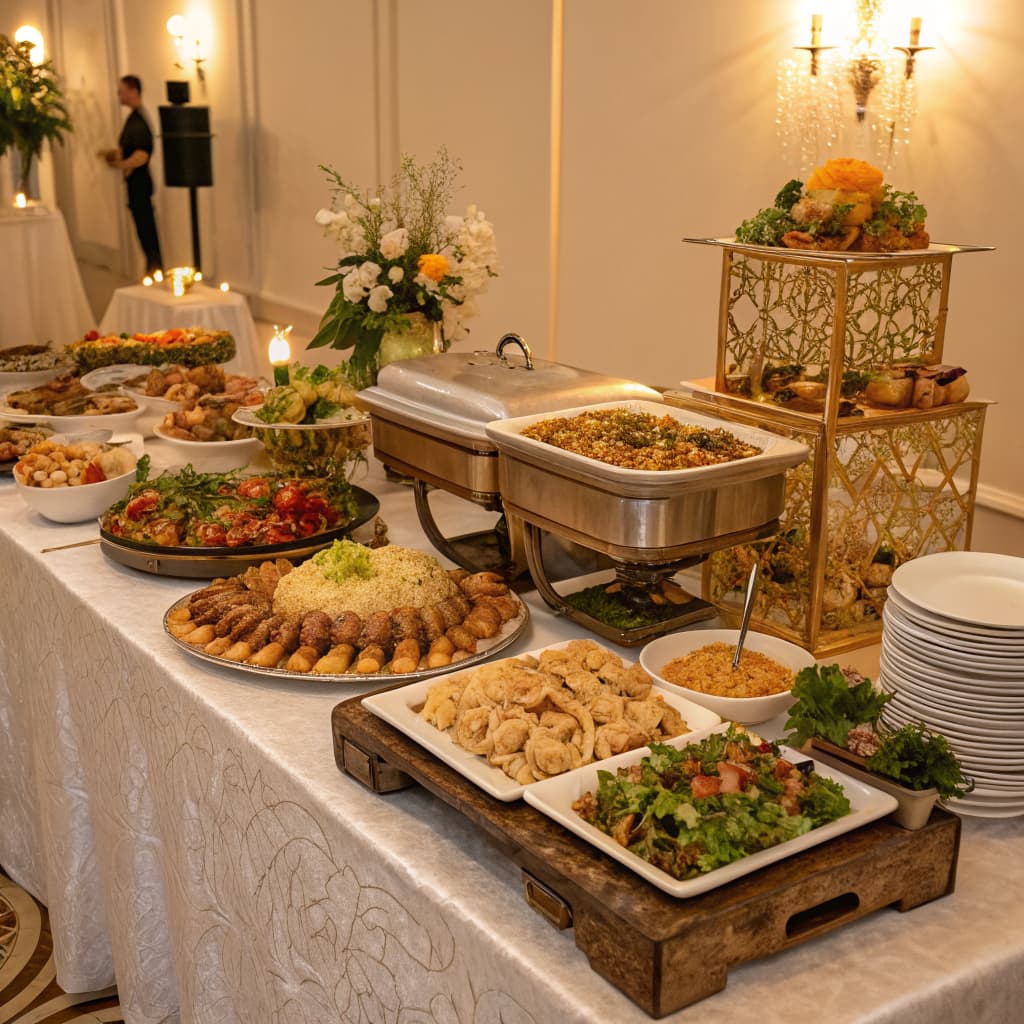
A catering buffet laid out along a long white table at a reception

Suggested split

What each part usually costs

A starting point from typical Filipino wedding costs, category by category, with a typical range beside each amount. Choose Save, Standard or Splurge, or set your own — a guide, not a rule.

White roses and greenery running along a head table, with lit candles

Signed for

Only finalized money counts

Agreed, paid and owed — what you have actually signed for, never a quote. Suppliers you are still choosing between stay in the Marketplace until you book one.

A bride and groom kneeling before a candlelit altar in a stone church

Next payments

What is due, and when

Every unpaid line item with a due date lines up under your progress bar, overdue ones called out — and you can send them all to Google Calendar, Apple Calendar or Outlook.

A ring, a printed program, a compact and a pale ribbon laid out on linen

Every peso

The rings, the licence, tips

Booked suppliers bring their own line items — from their catalogue, or added by you for suppliers off Setnayan. Costs with nobody on the other side have a place of their own, so nothing you pay for is left out.

A couple dancing under strings of lights at dusk, seen between two guests

Free

Complete, and nothing to buy

The Budget is free with every Setnayan account, beside your guest list, your schedule, your seat plan and your mood board. Setnayan records your money; it never holds or moves it.

Questions, answered

What is the Budget?
It is where you say what your wedding may cost, then watch what it actually does. Set your total in pesos, take a suggested split across categories — venue, catering, photography, attire, flowers, music — and as you book suppliers and log payments, it shows what you have agreed, what you have paid and what you still owe.
Is it really free?
Yes. The Budget is included with every Setnayan account, beside your schedule, your guest list, your seat plan and your mood board. Nothing to buy.
Where do the suggested numbers come from?
From typical Filipino wedding costs, as a starting point. Each category shows a suggested amount and a typical range, and says plainly when a figure is only a rough estimate. Tap any category to choose Save, Standard or Splurge, or type your own amount — if you go below the cheapest price we have seen, it tells you, and lets you anyway. It is a guide, not a rule; your own number always wins.
A supplier sent us a quote. Does it show up here?
Not until you book them. The Budget shows finalized money only — what you have actually signed for. Suppliers you are still choosing between stay in the Marketplace, where you can add and subtract them to find the better option. The moment you contract one, its line items and payments appear here on their own.
Does Setnayan handle our payments?
No. You pay your suppliers directly, the way you already do; here you log each payment as the money moves, and your totals update. Setnayan records your budget — it never holds or moves your money.
Who can see our budget?
You, and anyone you give budget access to. Setting the target is yours alone. If you choose, a supplier you are talking to can see a rounded range for their own category — never your exact numbers, never other categories. That is off by default, and you can turn it on or off anytime.

Start with the number

The Budget is free with every Setnayan wedding — beside your guest list, your schedule, your seat plan and your mood board. Set your target once, and every payment you log tells you where you stand.

Start planning · free