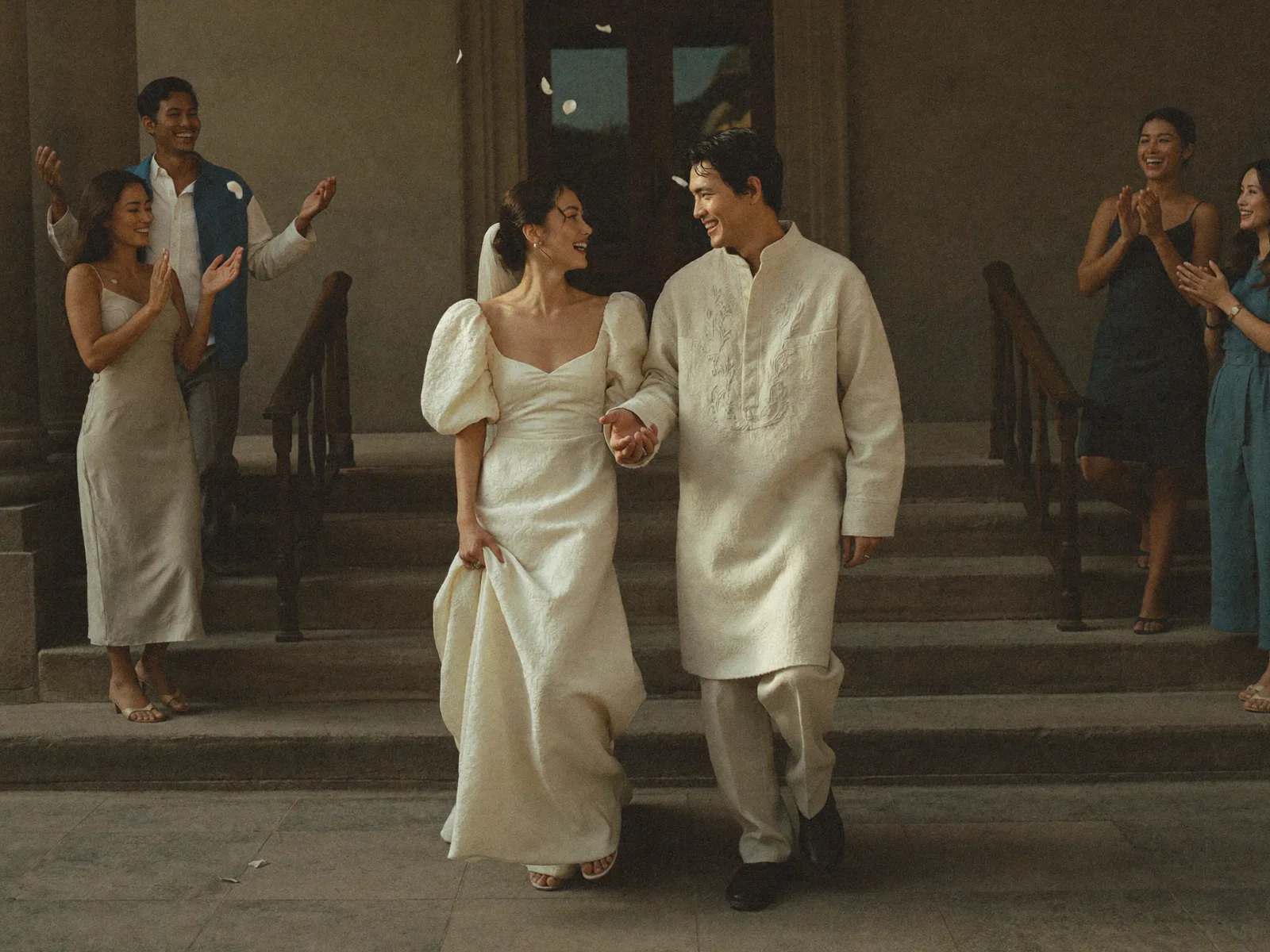
Features · Set na ’yan.
Every Filipino event, from the first idea to the memories.
Setnayan plans it, invites them, books your suppliers in writing, runs the day and keeps every photo. Free to start.
01 Months before
It starts with who it is for, a date and a feeling.
Say who the event is for, pick a date your suppliers are free for, set what you can spend, choose the colours once. Everything after dresses to match.
Mood Board → Event Hub. The palette you pick dresses the page, the roles and the prints.
- Start4
- Create an event: who it is for (“Para kanino”)Me, us, a child, a parent, someone who passed, a pet, the business.
- Onboarding on one templateEvent name and every required part, asked once, on the house step frame.
- Prefill from the account and phone autofill“Which one is you?” fills your side; the phone fills the rest.
- Event details and the date finderSet the date, or compare dates by who is free and long weekends.
- Plan6
- Today: the guide and the checklistSetnayan AI’s next step, 9 steps free, the rest with Pro.
- BudgetTarget against committed, in pesos; suppliers and your own expenses in one list.
- Mood BoardPick the colours once; concept and print PDFs follow.
- Paperwork per religionChurch, civil, INC, Muslim: the steps and papers for yours.
- Setnayan AIPlanner and supplier matching: your best-fit team, then the next step.
- Event Plus and Event ProBuy, upgrade or try; one unlock covers everyone on the event.

02 Invitations and replies
One link. Every guest answers in a tap.
Your Event Hub is the save-the-date, the invitation and the RSVP. Each guest gets their own QR; the seats and the meal counts follow on their own.
- TTita Ruth VillanuevaGoing
- MMiguel SantosGoing
- LLola NenaGoing
- PPaolo and Bea ReyesNot yet
Each reply lands in the Guest list; the Seat Plan and the meal counts fill themselves.
- Guests9
- Guest listQuick add, paste, import, an invite link, groups, mind map, undo.
- Guest detail and personal QREach guest’s own QR and the parts they are invited to.
- Send the invitationsSend, and watch the sent count.
- Invitations and Save the DateDesign, print, send; the Save the Date first.
- RSVP on the Event HubGuests reply, pick a meal and name a plus-one, in a tap.
- Sponsors and entourageNinong, ninang, roles, duties and the dress code per role.
- Co-hosts and access requestsPlan together; a coordinator asks, you approve.
- Who is hereHosts, guests and suppliers in one view.
- Event chats: General, per role, your own groupsComingGuests can write in their group; private messages in every chat.
- Seats and the look3
- Seat PlanTables, meal counts, the 3D lab, an export for the caterer.
- 3D plan and walkthroughWalk your reception before it is built.
- Event QR and Logo MakerYour mark in layers; the animated logo deploys everywhere.
- The Event Hub7
- Event HubOne public address, four stages, built for speed; RSVP shows when guests reply.
- Event Hub MakerLook, motion and your own content; Apply publishes.
- Event Hub Maker scenesComingTap a scene to edit it; a history list; Studio pages live inside.
- Veil revealTap or swipe to unveil; the music starts.
- Wake: a quiet storyNo countdown, no games: the family’s words, the nights, the mass.
- See what guests seeYour event page and its parts, as a guest opens them.
- Setnayan marks by planComingFree shows a watermark, Plus one small mark, Pro none.
03 Suppliers
Find them, compare them, agree in writing.
Verified shops by city, side by side. The quote, the payment plan and every change land as cards in one chat, so what was agreed is never a screenshot.
Quote, payment plan and every change are cards in one chat. Nothing is a screenshot.
- Find and book5
- Suppliers: Find, Booked, orders, checkoutShortlist by need, build picks against your budget, book.
- The supplier chat is the recordCards, blockers, decisions and private messages, one chat per supplier.
- One date picker everywhereMeetings show only the times both sides are free.
- A picked supplier’s workspaceDetails · Chat · Schedule · Quotation · Payment · Forms, one record.
- Quote and payment planValid until a date; the plan always pays all.
- Keep it straight6
- Access by partComingSuppliers ask for named parts of your event; you decide.
- Report a problemComingGoes to Setnayan; the other side is not told.
- Documents and contracts (e-sign)Every contract on the event, signed in place.
- DisputesA neutral Setnayan review when something goes wrong.
- Schedule and chaptersThe timeline, with times suppliers suggest; shift everything when late.
- ManpowerWho is working the day, and when.

04 The day
The Hub turns live. Your guests become the crew.
From the morning of, the Event Hub switches to the day: the schedule, the tables, the stream for family abroad, and every phone shooting into one album.
- Save the Date
- Invitation
- The Day
- After

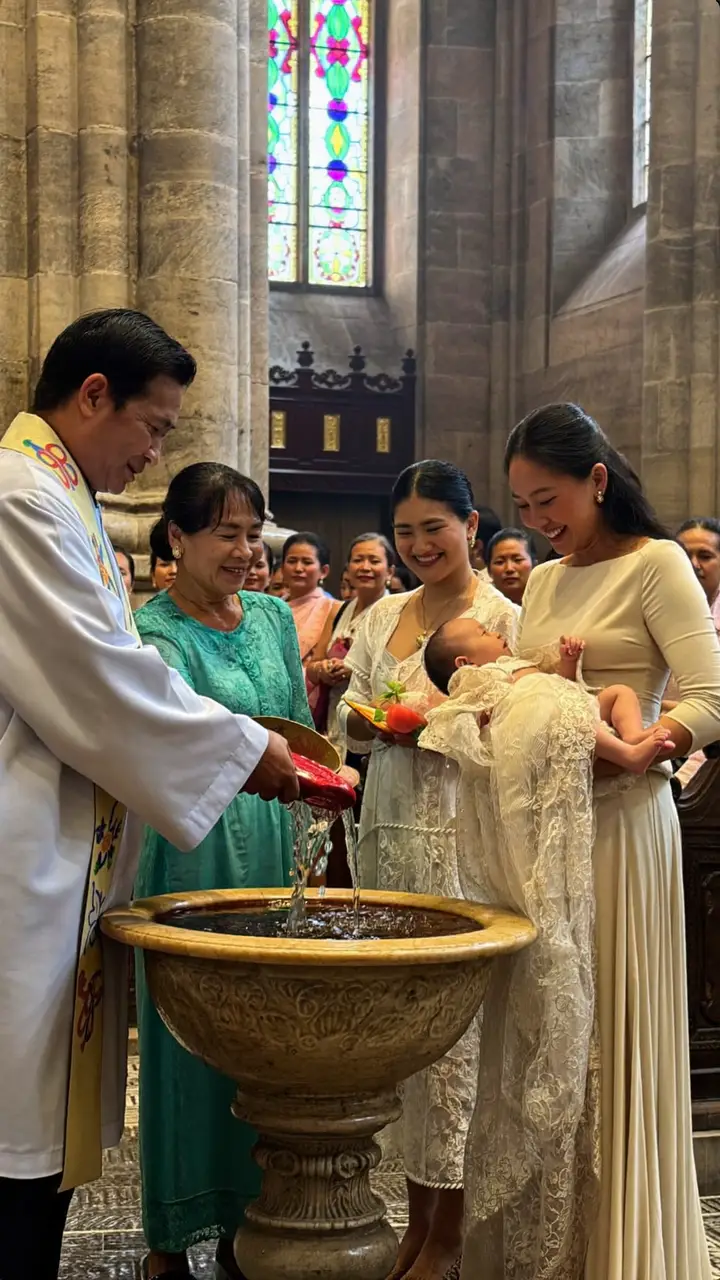
The Hub switches to the day on its own. Every guest phone shoots into one album, sorted by face.
- The door1
- Check-in desk, souvenir desk, tea ceremonyScan the guest’s QR; the headcount follows.
- Papic5
- PapicGuest phones become the camera crew; pay only for credits.
- Papic Crew and crew posterDesignated friends with unlimited shots.
- Papic moderation, challenges, run of show, recapKeep the album clean; set challenges; recap at the end.
- FaceBlockOpted-out guests are blurred everywhere. Always free.
- Smart Photo SortingEach photo finds the guests in it.
- The show6
- Live WatchLivestream on the Event Hub, up to 12 cameras.
- Live Photo Wall (Salamisim)Guests’ photos land on the venue screen as they shoot.
- Patiktok (Reel Booth)Short vertical reels, optional TikTok post.
- Music MakerAn original song from your own story.
- PlaylistThe day’s music, in order.
- Photo DeliveryThe photographer delivers into your Memories.
05 After
The day ends. The page doesn’t.
The same link becomes the story of the day: your guests’ photos sorted by face, the family’s words, the thank-yous, and gifts that went straight to you.


- 1,284 photos · 14 videos · the stream
- Gifts went straight to your GCash
- The Post Event story is live on your link
The same link, after the day. Kept for life; the next family learns from it if you share it.
- Keep5
- MemoriesEverything from the day, download all, say thank you.
- Thank-You VideoA longer produced film, after the day.
- Photo Notes and the Photo Notes MagazineGuests write on a photo; a storybook designs itself.
- Pabuya e-giftsStraight to your own GCash, Maya, bank or PayPal.
- Photo printsGuests order prints, no account needed.
- Tell4
- The story, Love Story and Post EventFive word-only stories free; the Post Event story writes itself.
- Real StoriesShare your event as a story others can read.
- Editorial and guest columnsA magazine story of the day, with guests’ columns.
- Clearance, launch, activity, progress, referClose out the day; see what happened; refer a couple.
06 Every event after this one
A wedding is the way in. The family is why you stay.
Your people are saved once. The christening, the debut, the 60th and the golden anniversary each start pre-filled, and every memory stays in one library.
- 2019ChristeningMateo
- 20247th birthdayMateo
- 2027WeddingClarisse & Joaquin
- 203160thMama Nena
- 2052Golden anniversaryClarisse & Joaquin
A family’s events hang on its people. Each one starts pre-filled; every memory lands in one library.
- Your account9
- Home: all your eventsEvents · People · Shop · Memories · Discover, one bar.
- People, saved onceFamily and friends, dependents, beloved: reused on every event.
- Linked eventsA wedding and its anniversaries, grouped.
- Memories libraryMemories across all your events.
- Life-FlashA living memorial of every past event.
- Chapters and your public pageYour life in chapters, on your own page.
- GroupsBarkada, parish, clan: chat, stories, shared events.
- Creator programmeEarn by bringing events and suppliers.
- Profile, notifications, billing, searchYour account, your notices, your receipts.
- The house3
- Honest empty statesAn empty part shows a greyed example of itself.
- Pricing page and plan tablesFree · Event Plus · Event Pro, every cell read from the code.
- TourA guided public tour of Setnayan.
01 The link arrives
Open it. That’s the whole setup.
A host sends you a link or a QR. It opens your own page in the browser, with your name on it.
One QR: your RSVP, the door, your table, and your own photos after.
- In5
- Open the Event Hub from a link or QRNo app, no account.
- Join an event, set a password if you likeJoin from an invite or a crew link.
- Not you? SwitchA shared phone switches guest in a tap.
- Guest avatarYour face on your pass and your photos.
- Public sample eventSee a full event before you host one.
02 Before the day
Your reply is counted the moment you tap it.
Reply, meal and plus-one land in the host’s list. The venue, the dress code and the announcements are on your page, not in a group chat.
- TTita Ruth VillanuevaGoing
- MMiguel SantosGoing
- LLola NenaGoing
- PPaolo and Bea ReyesNot yet
Each reply lands in the Guest list; the Seat Plan and the meal counts fill themselves.
- Reply4
- RSVP and your own QR passSeat, check-in and photos, on one pass.
- Welcome, venue and announcementsWhere, when and what changed.
- Guest requestsRequest a song, leave a note.
- Write in your group chatComingA chat per role and one General chat with the hosts.
03 The Day
Your phone is part of the crew.
Find your table, and shoot: every photo you take finds the people in it. Family abroad watch on the same page.
- Save the Date
- Invitation
- The Day
- After
The Hub switches to the day on its own. Every guest phone shoots into one album, sorted by face.
- There5
- Find my seatYour table and the running schedule.
- Papic camera and my photosShoot with your phone, just a code.
- See everyone’s photosThe whole album as it fills.
- Watch from abroad (Live Watch)The stream plays on the event’s own page.
- Photo Notes and guest columnsWrite a short story on a photo.
04 After
You go home with something.
Your own photos, sorted by your face. Prints without an account. A gift that reaches the host from anywhere.
- 1,284 photos · 14 videos · the stream
- Gifts went straight to your GCash
- The Post Event story is live on your link
The same link, after the day. Kept for life; the next family learns from it if you share it.
- Keep3
- Send a gift (Pabuya)Straight to the host, from anywhere.
- Order prints without an accountPick your photos; prints arrive.
- The recap after the dayThe story of the day, with you in it.
01 Open
A shop page Google can read, in two steps.
Your services, photos and reviews on a page written for search engines and AI. Verified once by Setnayan’s team; every limit explains itself.
Two steps to open. Build as many cards as you like; switch one Online when it is ready.
- Open and verify4
- Open a shop, claim a listing, join from an inviteTwo steps; a couple’s invite pre-fills it.
- Verification and the Verified badgeDocuments checked once by Setnayan’s team.
- Free limits, explainedEvery limit shows Problem → Solution, never hides.
- Papers renewal, 31 March yearlyComingReminders in January and March.
- Your plan3
- The plan sheetGoing past a limit asks to upgrade; Change plan shows what changes and what you pay.
- Supplier plans: Free · Verified · Supplier Plus · Supplier Pro · Supplier UltraOperate, grow, scale.
- The for-suppliers page and plan tableFree · Verified · Supplier Plus · Supplier Pro · Supplier Ultra, read from the limits.
- Your page4
- My ShopProfile, photos, cover and logo menu, share, QR, badges.
- Your public shop pageDates, booth, guest reviews; written for Google and AI.
- A public sample shop (SetnaProd)ComingSee what a full shop looks like.
- Your category comes from one listGroup › Category › Service › Part, one source.
02 Your cards
Cards that sell by themselves.
One card per service, facts first, media last, the same card couples see in Find. Offers, bundles and menus from their own makers; the best offer shows.
2 open bookings · this card stays on
Edit · Share to a client’s chat · Online. A card with open bookings cannot be deleted or turned off.
- Cards5
- Services, guided setup, packagesAttributes per service; packages on top.
- Service card grownFacts first, media last; section rows pin as you scroll.
- The service card row: Edit · Share · Online/OfflineComingShare posts the card into a client’s chat; open bookings keep a card on.
- The booked price staysSaid on both sides when a price changes.
- Shop makers: Offer · Card · Bundle · Menu · PortfolioComingMany offers on a card; only the best shows. Off-season lives in the Offer Maker.
- Your work4
- PortfolioCollections like Apple Photos; views counted.
- Inspiration libraryYour photos in couples’ mood boards, with your seal.
- Gift a product to a couplePapic credits or a plan, at the gift price.
- Repertoire, lines and program segmentsFor performers and hosts: songs, scripts, segments.
- Tools2
- Specialized toolsComingSix free: Scanner + Headcount, Run of show, Emcee script, Song Desk, Floor Command + March, Live Watch. One unlock for the rest.
- Your seal on every uploadComingThe approved seal-and-plate, old photos re-marked.

03 Inquiries
The chat is the record.
One chat per event. Your quote, the payment plan and every change post as cards both sides can read, with a valid-until date you set.
Quote, payment plan and every change are cards in one chat. Nothing is a screenshot.
- Clients6
- Messages, like MessengerOne row per event, unread on top.
- The client cardDetails · Chat · Schedule · Quotation · Payment · Forms · Files · Hub · Report; every row rises into it.
- Quotes in the chatValid until a date; the fee and the couple’s gift shown.
- Schedule requestsConfirm your times; receive and send changes; your part opens first.
- ContractsYour contract on the event, signed in place.
- “Their event”ComingOpen the host’s own screen, cut to the parts you were granted.
- Answer faster2
- AI replies: the front deskAnswers price, dates and inclusions from your own cards, labelled AI; hands the rest to you.
- Demand, recommendations, partnerships, creatorsWhere the inquiries are; who to partner with.
04 Booked and paid
Every payment lands where you can see it.
The plan always pays all. Each payment card posts to the chat and to your earnings. Clients you brought yourself pay nothing.
- 30% · booking Paid · 1 Dec
- 40% · a month before Paid · 14 Jan
- Balance · on the day Paid · 14 Feb
- Each payment posts a receipt card in the chat
- Your own clients: no fee, ever
The plan always pays all. What lands in the chat lands in your earnings.
- The day2
- The Day consoleLive view and Papic live, for the crew.
- Manpower, team and branchesStaff per service; branches by city.
- Money2
- Earnings, Money in, booking fees, payment optionsWhat is paid, what is due; fees only on clients we bring.
- Tax documents (BIR)Your documents, ready for filing.
- Protected2
- Disputes, single-use QR, Theft WatchA neutral review; QRs that cannot be reused.
- Your shop’s standingHidden, suspended or banned reads honestly; a lapsed plan lapses.
05 Grow
Proof that cannot be faked.
Reviews land 24 hours after the event. Your track record grows on its own; every graph taps to our recommendation.
“Hindi kami nag-alala sa food. Nag-adjust sila nang mag-180 to 210 ang guests.”
Clarisse R. · Wedding · TagaytayProof grows on its own. Every graph taps to what we would do about it.
- Every day4
- Today: “Needs you today”The pinned row is what needs you, not the greeting.
- Today setup stepsPaper rows, shop QR, first-visit tour; events per day.
- Rise full screen and SettingsYour details · Your page · Helpers · Plan · Settings rise from the row.
- Honest empty statesComingToday, Clients, Shop, Portfolio and the graphs show greyed examples.
- Grow5
- My PerformanceCapacity, conversion, benchmark, price position, ROI.
- Analytics that helpTap any graph: our recommendation. Five new graphs.
- Reviews, track record, StoriesLand 24 hours after the event; one public reply.
- Deep SearchFind the couples whose plans match what you sell.
- Your badge gets postedComingA new badge or verification posts to Setnayan’s page; you can opt out.
01 Access
In every chat that matters.
Request the parts you run. Once approved, you are in every supplier conversation and cannot be left out of one. The money stays with the hosts until they share it.
Quote, payment plan and every change are cards in one chat. Nothing is a screenshot.
- Access3
- Ask for access; the host approvesRequest the parts you run.
- In every supplier chat, and you cannot be left outMeeting and File from your (+); approvals land with you.
- The budget stays with the hostsYou see “hosts only” until they share it.
02 The schedule
Move the day; everything moves with it.
Every supplier’s moments on one timeline. Real events run late, so nothing is set in stone, and the one date picker keeps meetings to times both sides are free.
- 5:30 pmDoors · check-in
- 6:15 pmEntrance of the entourage
- 6:40 pmGrand entrance
- 7:10 pmDinner is served
- 8:40 pmFirst dance
Move one moment and every supplier’s time moves with it. Nothing is set in stone.
- The day plan3
- Schedule and chaptersThe timeline, with times suppliers suggest; shift everything when late.
- Schedule requestsConfirm your times; receive and send changes; your part opens first.
- One date picker everywhereMeetings show only the times both sides are free.

03 The room
One screen to run the room.
Scan guests in at the door, call cues from the run of show, watch the headcount and the wall from your phone. Six tools are free; one unlock opens the rest.
- Save the Date
- Invitation
- The Day
- After
The Hub switches to the day on its own. Every guest phone shoots into one album, sorted by face.
- Run it4
- Run the dayLive Wall, the schedule, the day-of desks.
- Check-in desk, souvenir desk, tea ceremonyScan the guest’s QR; the headcount follows.
- Live Photo Wall (Salamisim)Guests’ photos land on the venue screen as they shoot.
- Specialized toolsComingSix free: Scanner + Headcount, Run of show, Emcee script, Song Desk, Floor Command + March, Live Watch. One unlock for the rest.
04 The week
Five events, one account.
Every event you were given access to, side by side, with what needs you today on top. Your shop and your plan work the same as any supplier’s.
- 2019ChristeningMateo
- 20247th birthdayMateo
- 2027WeddingClarisse & Joaquin
- 203160thMama Nena
- 2052Golden anniversaryClarisse & Joaquin
A family’s events hang on its people. Each one starts pre-filled; every memory lands in one library.
- Across events4
- The client cardDetails · Chat · Schedule · Quotation · Payment · Forms · Files · Hub · Report; every row rises into it.
- Today: “Needs you today”The pinned row is what needs you, not the greeting.
- The for-coordinators pageThe offer, in one page.
- Front pages checked wholeUsers, suppliers, coordinators and features say the same true things.
Nothing is typed twice.
Each part hands its work to the next.
Your guests
Your suppliers
Why Setnayan · three apps’ worth, in one
Three apps’ worth, in one.
To do what Setnayan does, you’d normally juggle a planning app, a separate guest-photo app, and a supplier directory — none of which talk to each other. Setnayan brings them together, free to start, and adds what none of them have.
What you’d otherwise juggle
A planning app
Guest list, budget, seating — but no live guest Memories, and no AI that finds your suppliers.
A photo-sharing app
One shared pile of photos that expires in weeks — no per-guest Memories, no reels, and nothing to do with your plan.
A supplier directory
A list to scroll through yourself — no matching, and rarely 0% commission.
What Setnayan brings instead
All your planning, free
Guest list, RSVP, seating, budget, and an Event Hub through all five stages — free to start.
Live guest Memories
Papic: every guest gets their own face-tagged photos and a personal video reel.
An AI that finds your suppliers
Setnayan AI ranks a shortlist that fits your style, budget, and date — not a thousand listings.
0% commission, Filipino-first
Built for Filipino events and customs; you book suppliers at 0% commission and pay them directly.
Questions people ask first
- How is Setnayan different from other wedding apps?
- Most tools do one job — planning, or photo-sharing, or a supplier list. Setnayan does all three in one place, free to start, and adds what the others don’t have: live per-guest Memories, personal video reels, and an AI that finds the suppliers that fit you.
- Do I need a separate app for guest photos?
- No — that’s the point. A standalone photo app gives everyone one shared pile that expires. Setnayan’s Papic gives each guest their own face-tagged Memories and a personal reel, right on your Event Hub, and you keep every photo.
- Is it really free?
- Yes — the planning is free to start: guest list, RSVP, seating, budget, and an Event Hub through all five stages. You only pay for more (Event Plus, Event Pro, or Papic credits) if and when you want it.
- Does it work for Filipino events specifically?
- Setnayan is built Philippines-first — it understands Filipino customs, ceremony types, and local suppliers, and couples book suppliers at 0% commission. It’s not a generic planner with a PHP price tag bolted on.
- What does Setnayan bring that I can’t get elsewhere?
- The media layer: every guest goes home with their own photos and a souvenir reel, and an AI shortlist of suppliers that actually fit — woven into the same free platform that handles your whole plan.
- Is there a Setnayan app?
- Setnayan works on your phone. Open setnayan.com in Safari on iPhone or Chrome on Android and add it to your home screen — it then opens full screen, like an app, with nothing to download. On a computer, there is a desktop app for Mac and Windows at setnayan.com/download.
- Does Setnayan take a commission?
- Couples pay no commission: they pay suppliers directly and Setnayan adds nothing to the price. Suppliers pay Setnayan a booking fee, only on couples Setnayan introduces — a supplier's first booking from Setnayan is on us, and a supplier's own clients are always free. It is billed to the supplier, never added to what a couple pays. The current rate is on the For Suppliers page.
- Can guests upload photos to Setnayan for free?
- Guests take photos and short clips with Papic, the camera that opens from each guest's own QR link — no app to install and no sign-up. Each photo spends one credit from the event's shared pot: the host gets free credits on your first event, then adds credit packs from the price list, and can cap what any one guest spends. Cameras themselves are free and unlimited.
- Is photo storage free on Setnayan?
- Yes. Every photo and clip in Memories is kept: the originals until three months after the event (twelve with Event Ultra), then a 720p copy of each one, kept for life, free. Nothing is removed on a timer — only the host decides to delete a photo.
- Do guests need mobile data to take photos?
- Not at the moment they shoot. Each Papic photo is saved on the phone first and sends by itself when signal comes back, while the Papic page is open; a waiting photo is kept on the phone for up to 7 days, and the camera says in words how many are waiting.
- Does Setnayan track supplier payment schedules?
- Yes. Each supplier booking carries a payment plan — a reservation, payments in between and a balance, each with a due date — and when a price changes, the unpaid payments are re-plotted to the new remainder while paid ones stay as they were. Couples log each payment with its receipt in the supplier chat, the supplier marks it received, and with Setnayan AI (in Event Plus, Event Pro and Event Ultra) the couple is reminded the day before a payment is due.
- Can guest photos show live on a screen at the reception?
- Yes, free on every event. Memory lane shows the guests' Papic photos live on any screen at the venue, paired with a short code, and — if the couple turns it on — on the guests' own phones. Each photo passes a safety screen before it shows.
- What can a couple and a supplier do inside the Setnayan chat?
- More than a messaging app: the service, the event date and the guest count sit at the top; the supplier sends a quote — flat, per guest or per hour — that the couple accepts or counters; the couple logs each payment with a receipt photo and the supplier confirms it; and the supplier sees how many other couples are asking about the same date — a number, never who they are.
- Can suppliers use guests' photos as portfolio proof?
- Not the guests' photos. A supplier's portfolio holds photos the supplier took or brought in, and a couple can choose to share one of their own photos to a supplier's service card, which the supplier approves.
- Does Setnayan work for event coordinators?
- Yes, free to start. A coordinator works every client's event from one login, with the access each couple grants area by area — edit, view or off — and a planner booked through Setnayan is invited to coordinate once the booking is paid down. Coordinators use the same supplier plans and the same booking fee as any supplier.
- Is Setnayan like Vowly, or a wedding website builder?
- Setnayan runs the whole event in one account, and these are the parts it is built on: one guest list that feeds the invitation, the seat plan, the door check-in and each guest's photos; suppliers found, booked and paid inside the event, with the quote, the payments and the chat record together; a coordinator role; Papic, the guests' own camera, with free credits on the host's first event; and Memories, where each guest can find the photos they are in, kept for life. Compare any two products on what each one does today.
How it works · who’s who
Who’s who on Setnayan.
The complete map of who’s who and where each person spends their time — one paragraph per role, plus how the flow connects.
Host
You’re planning an event — a wedding, a debut, a christening, a reunion, a concert — and more. An event can have several hosts.
- Today · Guests · Suppliers · Memories · Hub — the guest list, seat plan, budget, schedule and mood board live here
- The Event Hub Maker: five stages, drafted until you press Apply
- Event Plus or Event Pro (Setnayan AI comes inside both), and add-ons: Papic credits, Live Watch, Music Maker, Patiktok
Supplier
You sell to hosts. Your shop is free, and Verified is free too. Supplier Plus, Supplier Pro and Supplier Ultra add reach, a team and branches.
- Today · Clients · Shop · Portfolio — the next thing to answer, your people, dates and event days, your services and page, your photos and videos
- One chat per client — hosts who find you, and the clients you bring or import yourself — with quotes, payments and files
- Verification badge, reviews from completed events
Coordinator
You coordinate or plan events for clients. Your own shop, like a supplier’s, with the tools to run the day.
- One login for every event you run — each client’s event opens from your dashboard
- One schedule; each supplier sees their part and asks you for time changes
- Door check-in and the seat scanner on the day
Guest
You got invited. No sign-up needed — just open your link.
- Save the Date → RSVP → Invitation → The Day → Post Event (5 stages)
- Reply, meal preference, plus-one naming
- Day-of: find your table, see the live schedule, upload photos
Setnayan’s team
Setnayan’s own team. You never need an account like this — it’s us, behind the scenes.
- Checks suppliers before they get the verified badge, and keeps reviews honest
- Confirms payments, so an order goes through
- Steps in when an event cannot go ahead
Public landing
The public pages at setnayan.com. Where you’re standing now.
- Host sign-up + supplier sign-up
- Browse the marketplace, read features, see pricing, get help
- No login needed — bookmark and share
Event Hub
The event’s own public page. The link you share with everyone.
- Moves through 5 stages as the date approaches
- Each guest gets their own link for a personalised RSVP
- Switches to day-of mode from 6am on the day
How the flow connects
- Host → SuppliersHost browses the supplier marketplace and opens a chat thread with one — or a supplier brings their own client in.
- Supplier → HostSupplier replies with a quote + files. Both sides see the same thread.
- Host → GuestsHost builds the guest list and prints / shares QR-coded invites.
- Guests → HostEach guest scans their QR, lands on their personal page, RSVPs.
- Day-of → EveryoneFrom 6am on the day, the event switches to live mode — tables, schedule, Memory lane, broadcast.
- Post-event → Host ↔ SupplierReviews land 24h after the event; if an event cannot go ahead, Setnayan’s team steps in.
Set na ’yan. · it’s all set.
Start free. Add only what your event needs.
Hosts plan for free and pay only for the show. Suppliers open a shop for free and pay only when we bring the client.