Seat plan
Lay out your tables and seat every guest — free.
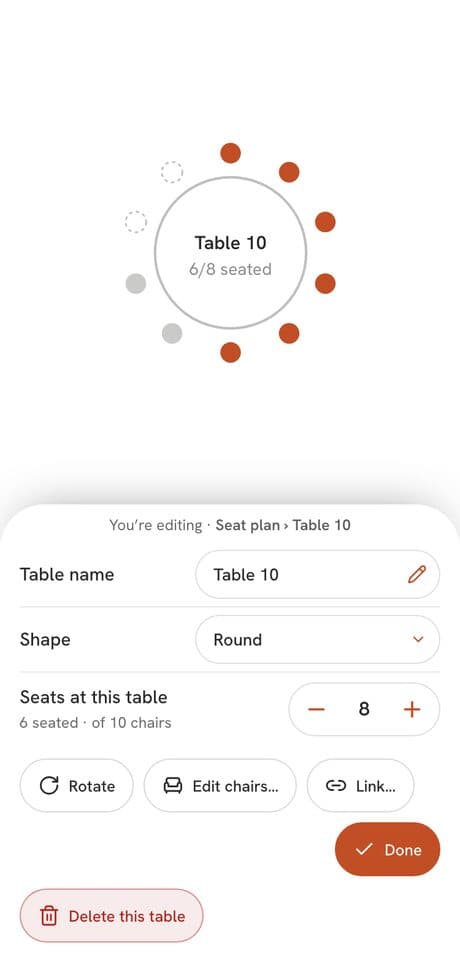
Setnayan Seat plan is a free seating chart maker. You lay out your tables, entrance and dance floor, then drag each guest into a seat or let Auto Arrange seat everyone who has not declined, with the people who matter most nearest the stage.
Price Free
Who it’s for
Hosts and coordinators who need every guest in a seat they can see, and a chart that survives late replies.
How it works
- 01
Set the room size, or start from the size your booked venue gave. Build a seating draft in one tap, or add tables, the entrance and the dance floor yourself.
- 02
Drag a guest onto a table, or let Auto Arrange do it. Keep some guests apart, keep groups together, and choose who sits nearest the stage.
- 03
Print table signs with a QR and place cards as a PDF, and give your caterer the meal counts per table.
What makes it different
- It is complete and free. You can run your whole event on it.
- A keep-apart rule is visible only to you and is honored for whole groups too.
- New guests get a provisional seat, so the chart is not redrawn by hand.
- One person edits at a time, so two people never undo each other’s work. Your coordinator can arrange it; publishing stays with you.
Works with the rest of Setnayan
Questions
Is there a free seating chart maker?
Yes. Setnayan Seat plan is included with every account, free and complete.
Do I have to seat everyone by hand?
No. Auto Arrange seats everyone who has not declined, by priority, and leaves anyone you placed yourself where they are. Drag anyone you want to move.
How do I keep two people apart?
Tell the plan to keep two guests apart and Auto Arrange seats them, and their whole groups, at different tables. Only you see that rule.
What can I print?
Table signs with a QR, place cards eight to a page, and a meal count per table with dietary notes for your caterer, as a print or a CSV file.