Suppliers
Find, build and book every supplier on one screen.
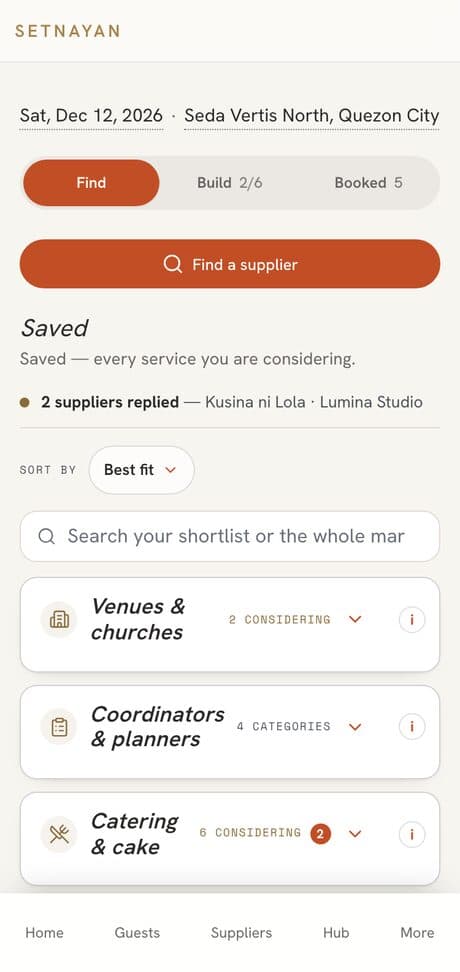
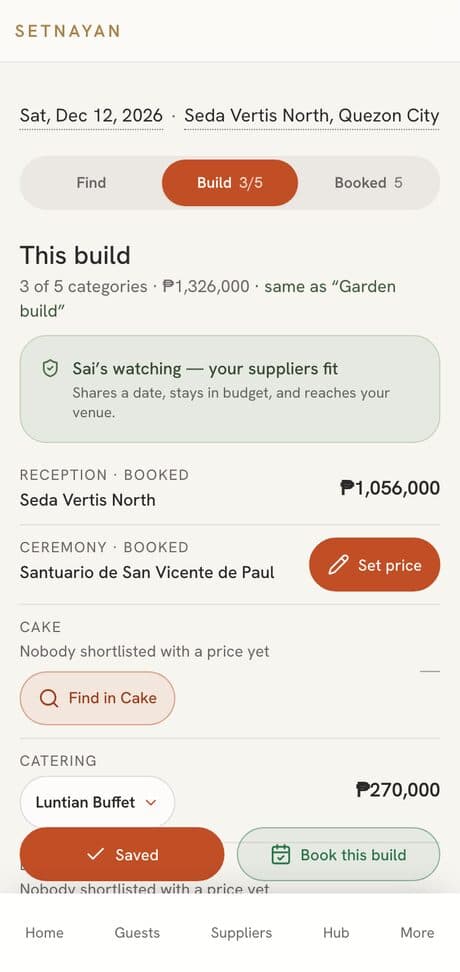
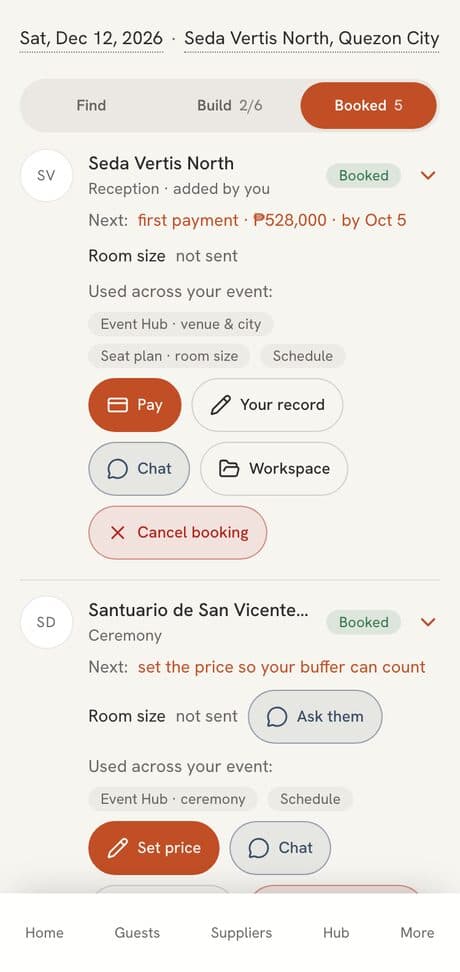
Your event’s Suppliers page holds every supplier in three parts: Find, Build and Booked. Find is your shortlist by category. Build is one pick per category, totalled against your budget. Booked is everyone you hired, with their next payment and where to pay them. Your date and venue sit at the top.
Price Free
Who it’s for
Hosts juggling many suppliers who want one place that says who is still being considered, who is chosen and who is paid.
How it works
- 01
Find: search the Marketplace, save suppliers into each category, or add a supplier you already know. Ask for a quote or about another day right from the card.
- 02
Build: pick one supplier per category from your shortlist and see the total against your budget. Save builds and compare them.
- 03
Book this build, or one supplier at a time. Booked then shows each one’s payment plan, where to pay them, and your proof of payment.
What makes it different
- Shortlisting, comparing and asking are free. Nothing is committed until you book.
- Each category says where you stand, and the next one to decide is marked.
- Book a whole build in one go, after one confirm.
- A supplier you found yourself, outside Setnayan, can join the same list.
- You pay suppliers directly; Setnayan never holds that money.
Works with the rest of Setnayan
Questions
What is a build?
One supplier per category, picked from your shortlist, with the total shown against your budget. You can save several builds and compare them.
Is it free?
Yes. Shortlisting, comparing, asking and booking through your Suppliers page cost you nothing on Setnayan. You pay each supplier directly.
Can I add a supplier who is not on Setnayan?
Yes. Add your own supplier and they sit in the same list, with their payments in your budget.
Where do I pay a booked supplier?
Open them under Booked and press Pay. You see their payment plan and where to pay, and you record the payment with your proof.