Event Hub
One link that changes with your event — from save-the-date to after.
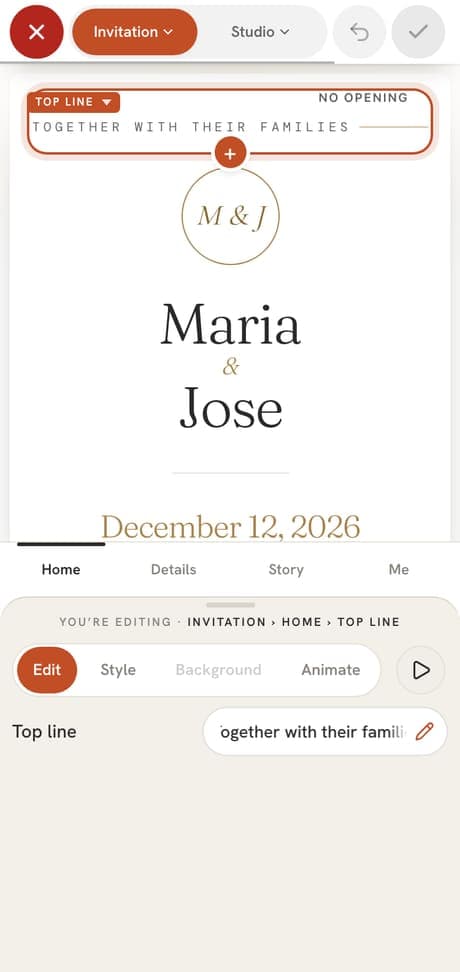
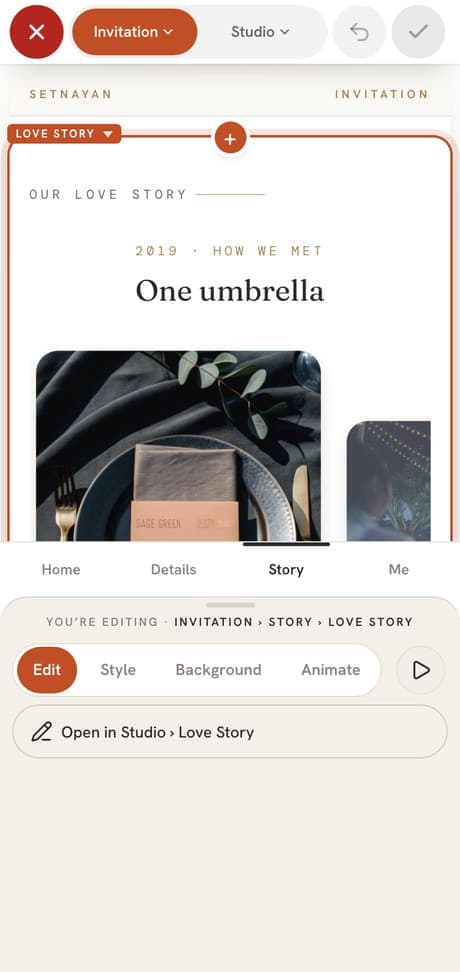
Setnayan Event Hub is one link for your whole event. It moves through five stages — Save the Date, RSVP, Invitation, The Day and Post Event — so guests always see what matters now. You shape each stage in the Event Hub Maker, and nothing reaches guests until you press Apply.
Price Free · upgrades from ₱5,690
Who it’s for
Hosts who want one beautiful address instead of a string of messages, and who do not want to design or code anything.
How it works
- 01
Add your names, date and venues, and pick a theme. Your Event Hub composes itself from what you already entered.
- 02
Open any stage in the Maker and change its words, look and parts: schedule, dress code, entourage, love story, E-Gifts, find your seat and more. Preview, then Apply.
- 03
Share one address. Guests reply, find their seat, and on the day watch the live stream and photos from the same link.
What makes it different
- Each stage shows what guests need at that moment, from the save-the-date film to the story after the day.
- Nothing is half-published: edits stay a draft until you Apply, and Undo takes back your own steps.
- Two hosts can edit at once. Saves merge instead of wiping each other, and a note names who changed what.
- Guests need no app and no account.
- Free covers the words, colours, three themes and RSVP. ◆ Pro adds animation, openings such as the sheer veil, photo and video backgrounds, music and seven more themes — for everyone on your event.
Works with the rest of Setnayan
- Guest listReplies on your Event Hub land in your guest list.
- ScheduleVisible moments show here with a live “happening now”.
- Dress codeEach guest with a role sees what to wear and when to arrive.
- E-GiftsYour E-Gifts and wish list open from the same link.
- Live WatchGuests watch your live stream right on it.
Questions
What are the five stages?
Save the Date, RSVP, Invitation, The Day and Post Event. Each one shows guests what matters at that time, from one address.
Do I need to design or code anything?
No. Fill in your details and it composes itself. Change anything in the Maker, preview it, and press Apply.
Can my partner and I edit at the same time?
Yes. Your saves merge, a note tells you when the other host changed something, and Undo only takes back your own steps.
Is it free?
You can start free with three themes, your words, colours and RSVP. The optional ◆ Pro upgrade is priced in the live catalogue and covers everyone on your event.